
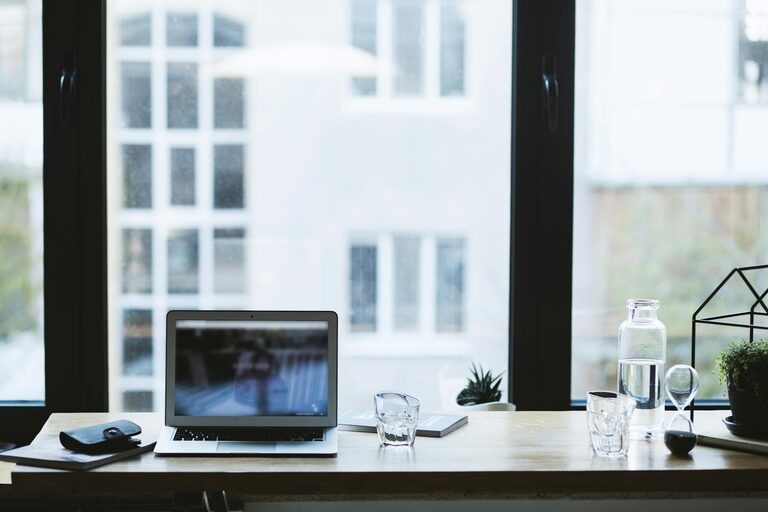
Creating a home office that is both relaxing and productive is essential for anyone working remotely or running a business from home. A well-designed workspace can improve your focus, reduce stress, and help you enjoy your workday more fully. Here are some practical tips to help you set up a home office environment that supports both concentration and relaxation.
Choose the Right Location
Find a Quiet Spot
Start by selecting a quiet area in your home. This will limit distractions and help you maintain focus. Ideally, choose a room with a door so you can signal when you shouldn’t be disturbed.
Maximise Natural Light
Natural light is known to boost mood and productivity. Position your desk near a window to take advantage of daylight. However, avoid direct glare on your screen by using curtains or blinds if necessary.
Invest in Comfortable Furniture
Ergonomic Chair and Desk
Invest in an ergonomic chair that supports your back and encourages good posture. Pair it with a desk at the right height to avoid strain on your wrists or neck.
Consider Adjustable Furniture
Height-adjustable desks allow you to switch between sitting and standing, promoting movement and reducing the risks of prolonged sitting.
Organise Your Space Efficiently
Declutter Regularly
Keep your desk tidy and organised by regularly removing items that aren’t needed. Clutter can create a sense of chaos and hinder your ability to concentrate.
Use Storage Solutions
Incorporate shelves, drawers, or filing cabinets to store documents and supplies neatly. Label containers to quickly find what you need.
Personalise Your Workspace
Add Plants
Indoor plants not only improve air quality but also create a calming effect. Choose easy-to-care-for plants like succulents or peace lilies.
Include Personal Touches
Decorate with items that inspire you, such as artwork, photos, or meaningful objects. This can make your workspace feel welcoming and motivate you throughout the day.
Control Noise and Distractions
Use Noise-Cancelling Devices
If noise is an issue, consider noise-cancelling headphones or white noise machines to create a peaceful environment.
Set Boundaries
Communicate with family or housemates about your work hours and the importance of minimizing interruptions during those times.
Optimise Lighting and Screen Setup
Combine Ambient and Task Lighting
A mix of overhead and desk lighting will reduce eye strain and create a comfortable atmosphere. Adjustable lamps can help focus light where you need it most.
Position Screens Correctly
Place your monitor at eye level and about an arm’s length away to prevent neck and eye strain. Use screen filters to reduce glare if necessary.
Maintain Good Air Quality and Temperature
Ventilate Regularly
Keep your workspace fresh by opening windows or using air purifiers. Fresh air enhances focus and wellbeing.
Set a Comfortable Temperature
Ensure your home office is neither too hot nor too cold. Use fans or heaters as required to maintain a comfortable temperature for extended work periods.
Establish a Routine and Breaks
Create a Daily Work Schedule
Plan your tasks and set clear working hours. This structure helps in staying productive while separating work from personal life.
Take Regular Breaks
Stand up, stretch, or take a short walk every hour to refresh your mind and reduce physical tension.
Use Technology Wisely
Optimise Your Tools
Choose software and devices that streamline your work processes and minimise frustration. Keep your computer updated and maintain a good internet connection.
Limit Social Media and Notifications
Turn off non-essential notifications to reduce distractions and stay focused on your tasks.
Prioritise Wellbeing
Practice Mindfulness or Relaxation Exercises
Incorporate short mindfulness sessions or breathing exercises during breaks to reduce stress and improve concentration.
Keep Hydrated and Snack Healthily
Keep a water bottle nearby and opt for nutritious snacks to maintain energy levels throughout the day.
—
By creating a home office environment that balances comfort and efficiency, you can enjoy a more productive and enjoyable working experience. Remember that it’s a personal space, so feel free to adjust these tips to best fit your needs and preferences. With the right setup, working from home can be both rewarding and relaxing.